 LaneScope
Bowling shot tracking for iPhone
See every throw.Measured.
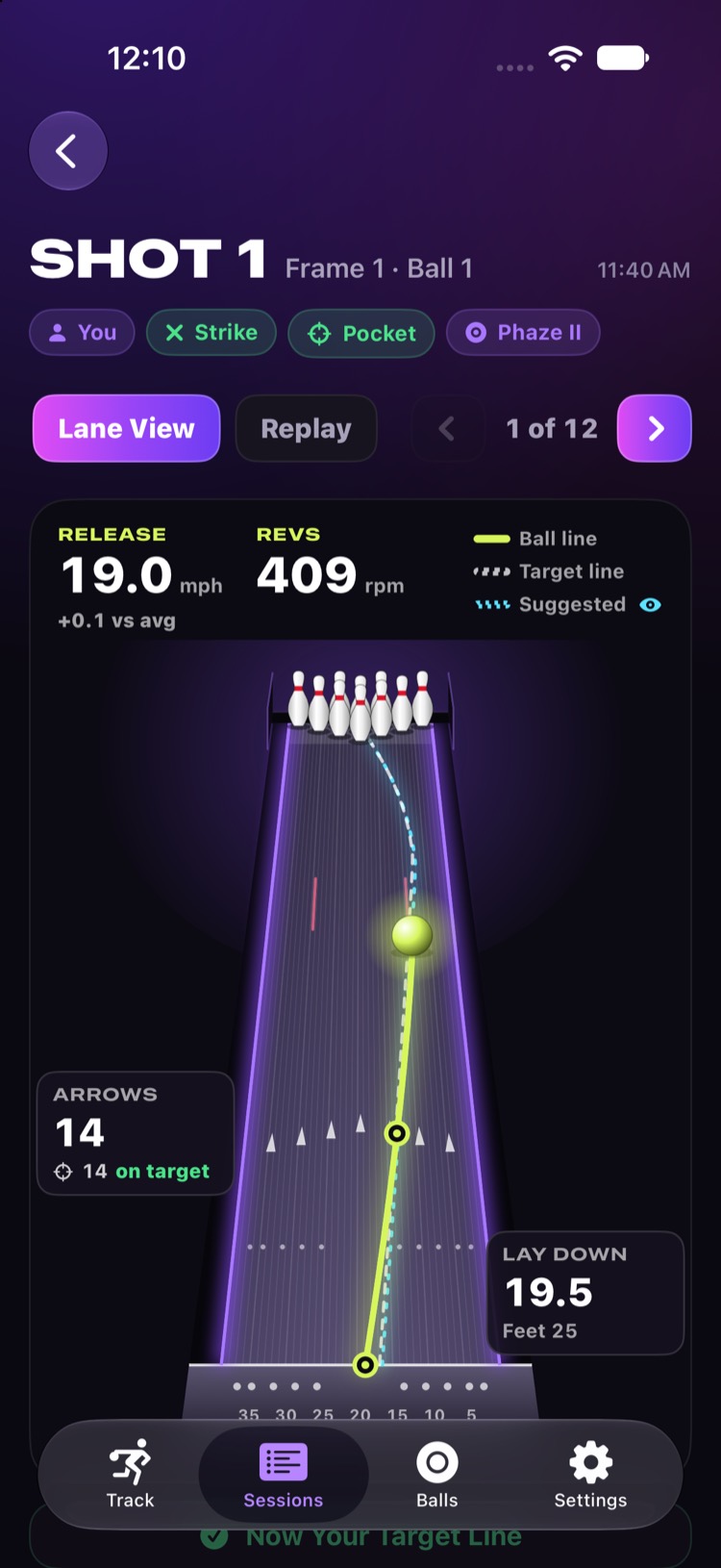
Put your iPhone on a tripod behind the ball return and bowl. LaneScope saves a clip of every throw by itself and measures it: how fast, how many revs, which boards it crossed, and how it came into the pocket.
- Ball speed
- Rev rate
- Boards
- Entry angle
- Pinfall
- Strike chance
For iPhone. No account needed, and your videos stay on your phone.
What it does
Everything a lane camera sees, on your phone.
No sensors in the ball, no lane hardware. The phone's camera does the work, at the lanes, while you bowl.
Captures itself
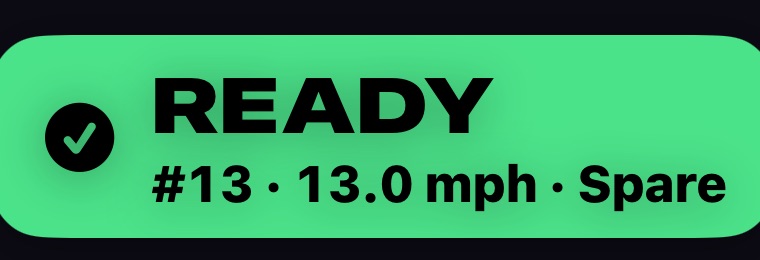
Each throw saves itself, from your approach until just after the ball reaches the pins. No buttons to press between shots, and a banner tells you when it's ready for the next one.
Speed and revs
Release speed and speed at the pins. Rev rate read from the ball itself, with the turns shown frame by frame.
Boards and angles
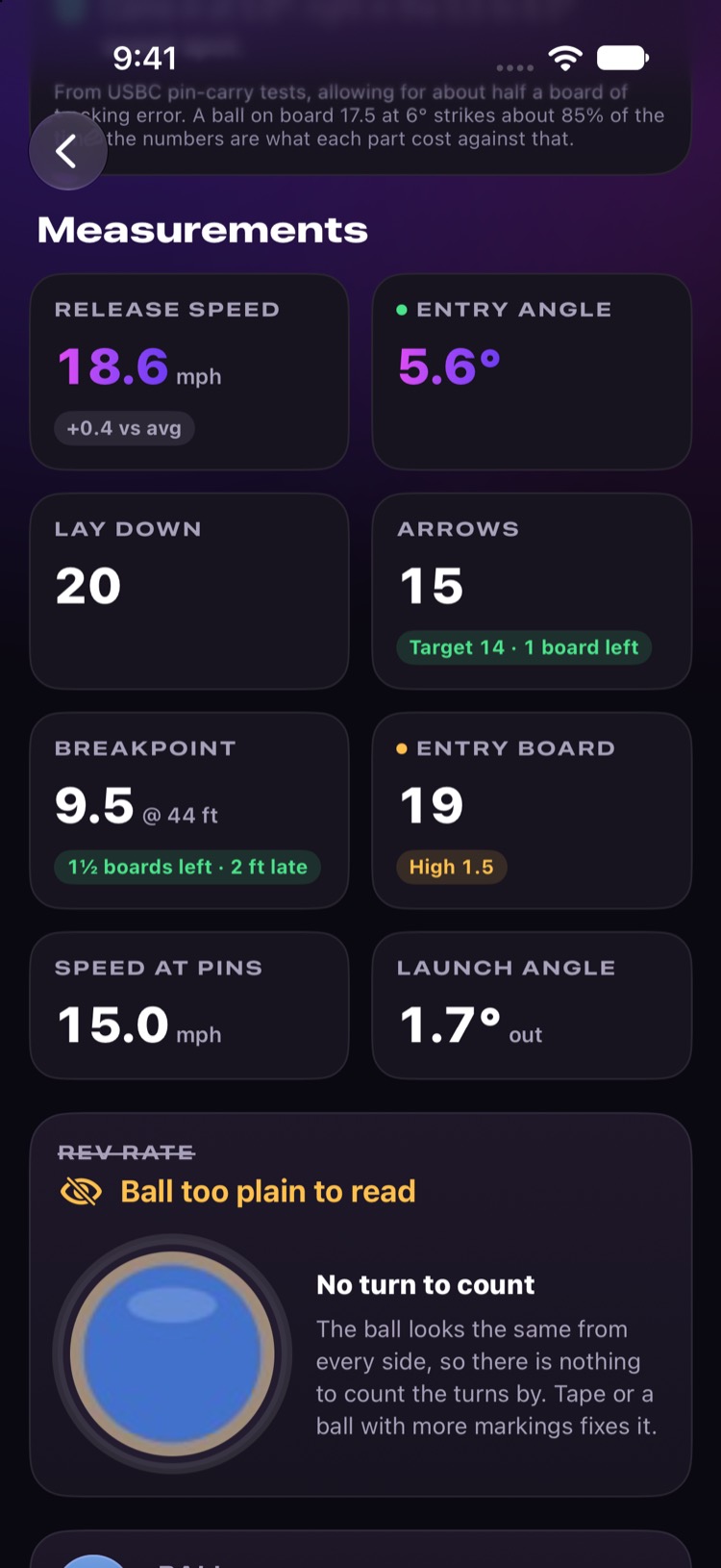
Where the ball laid down, crossed the arrows, broke and entered the pins, plus launch and entry angle.
Pinfall and strike chance
Record what was left standing, and see how likely each throw was to strike, and why, from how it came into the pins.
Targets and coaching
Set your feet and eyes, see how far off each throw was, and get a suggested line and the move or ball change to make next.
Bowl as a group
Add the people you bowl with. Each throw goes to the right bowler, left or right handed, with their own lines and summaries.
Top lane view
Your ball line, from above.
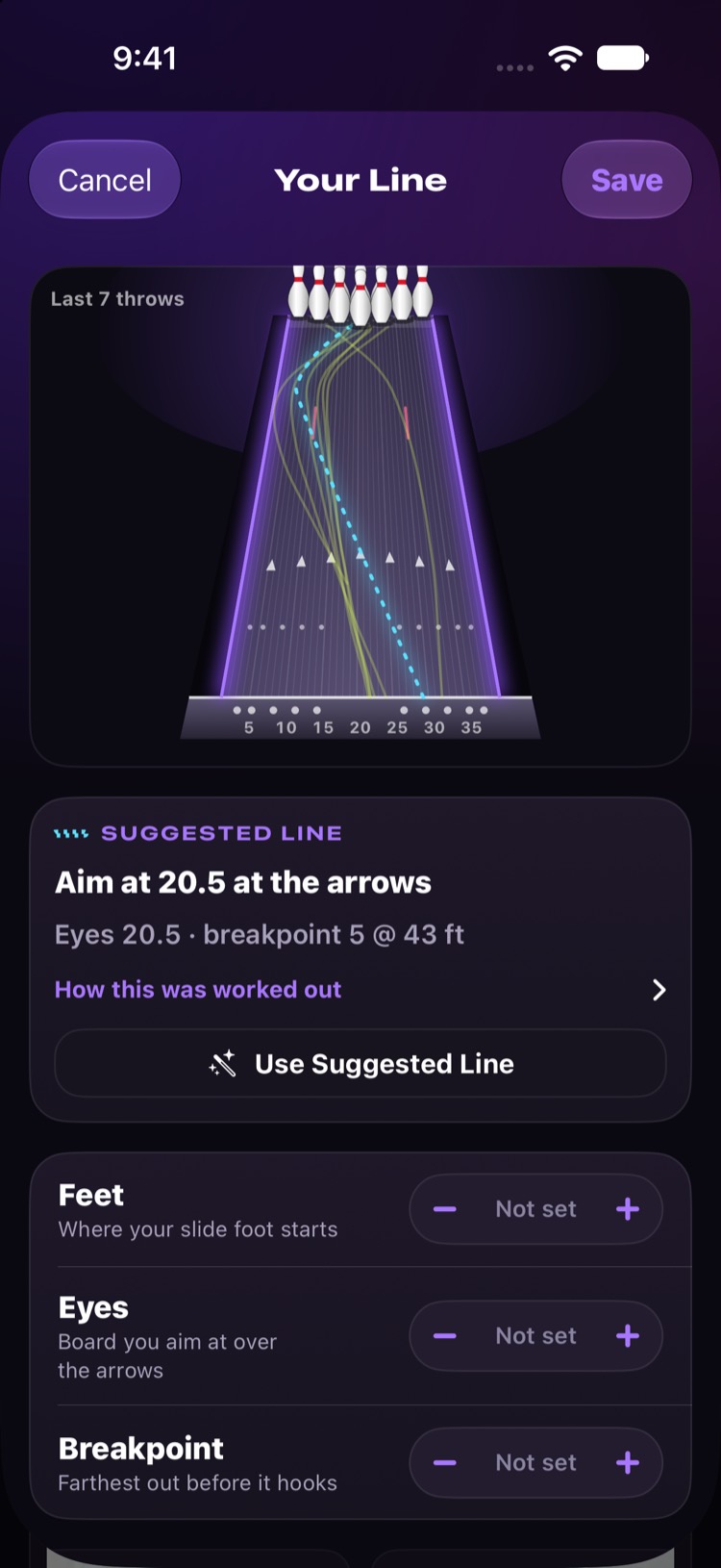
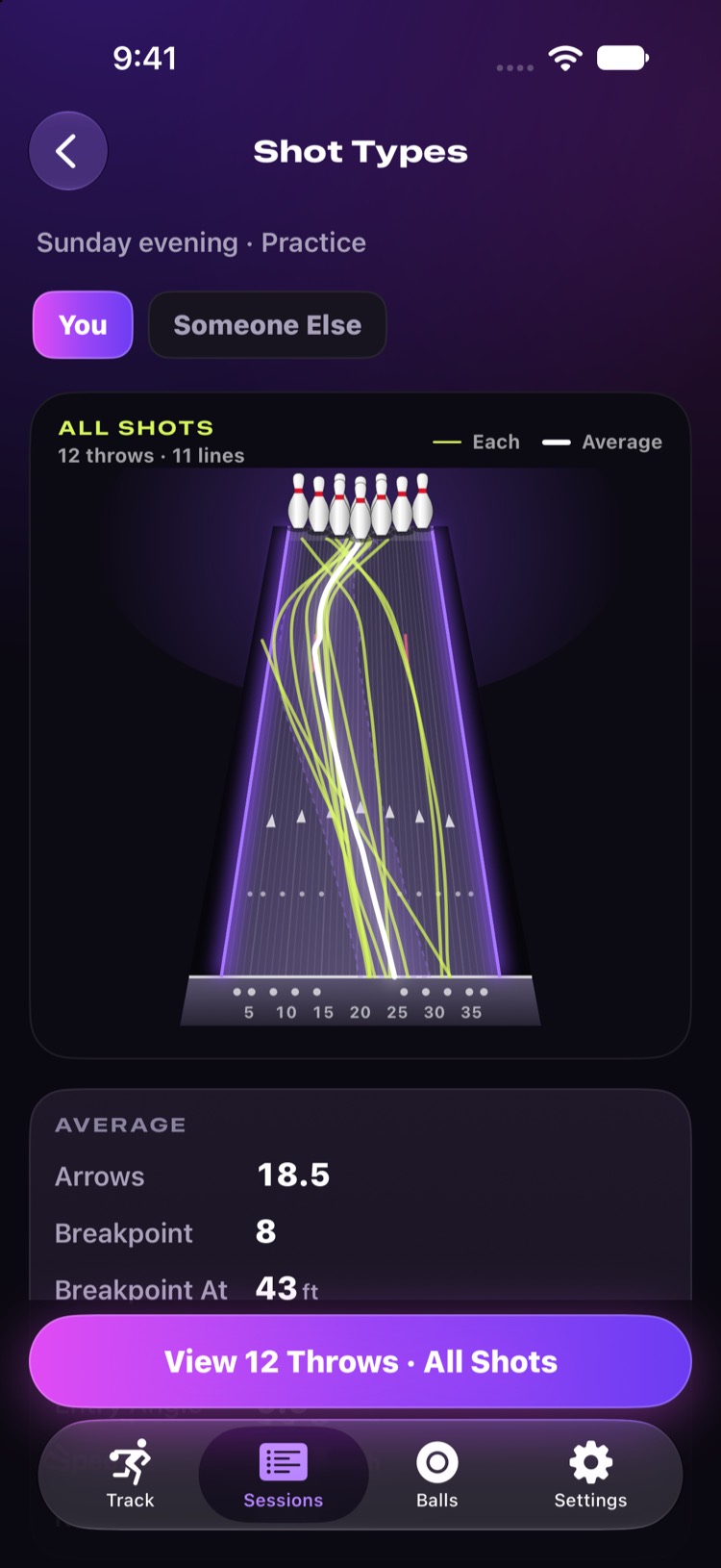
Every throw drawn down a top-down lane, broadcast style, so you can see exactly where it went and compare it with where you meant it to go.
- Lay down, arrows, breakpoint, entry, in boards, with the breakpoint's distance down the lane.
- Target line beside the ball line, with how many boards off you were.
- Suggested line from your last few throws: where to stand and where to look.
Video replay
Watch it back with the line drawn on.
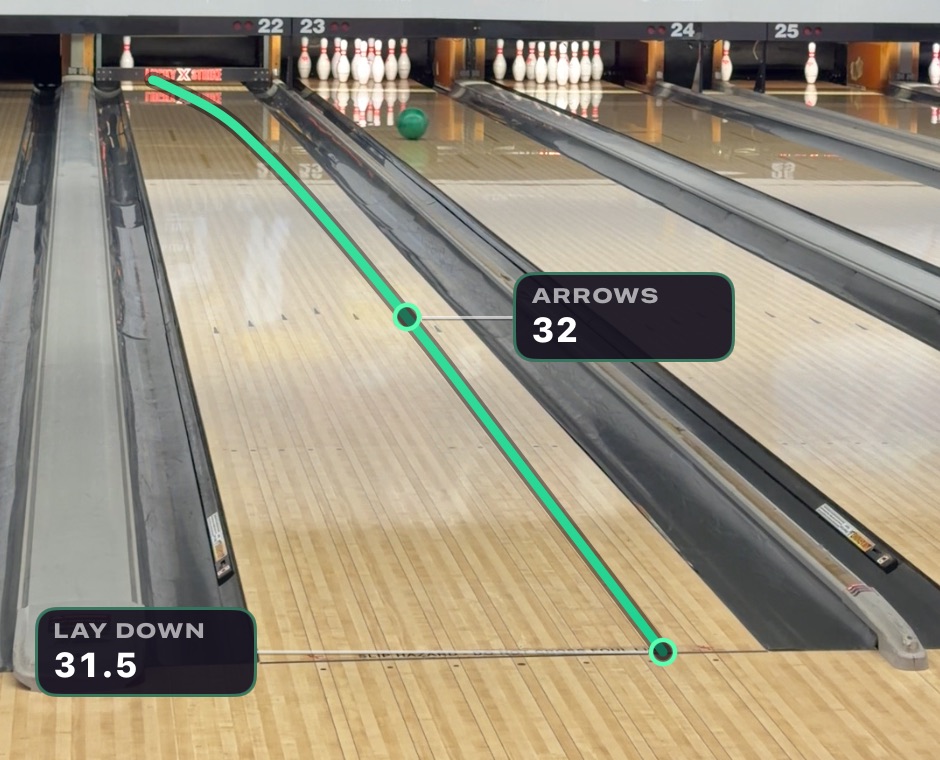
Every throw keeps its clip. Replay it from the release, at full speed or slowed down to an eighth, with the ball's path and its marks drawn over the video. Save it to Photos with the overlays included, to share or keep.
Session summaries and Shot Types
See the pattern, not just the throw.
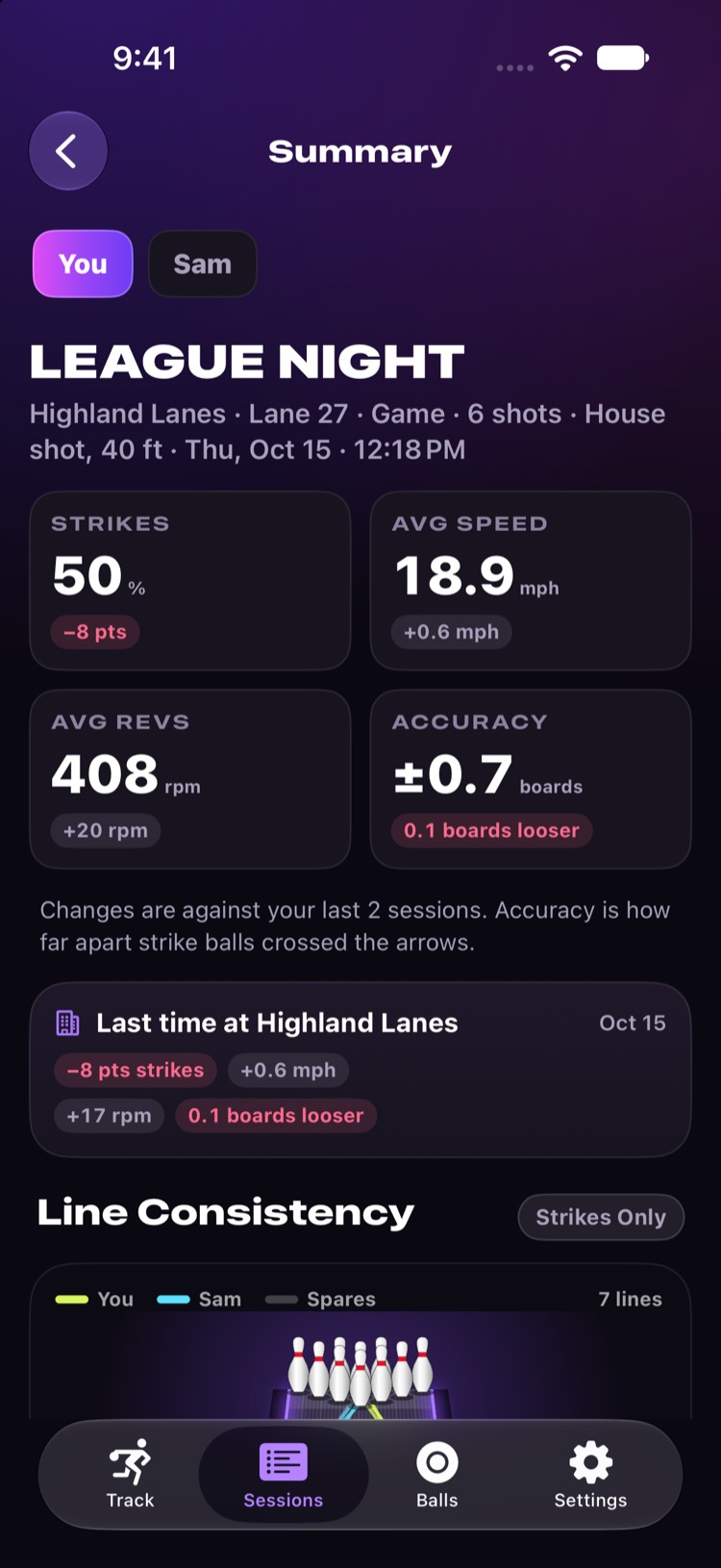
At the end of a night, see how it went against your last few sessions.
- Session summary: strikes, average speed and revs, and accuracy at the arrows, with the change from last time.
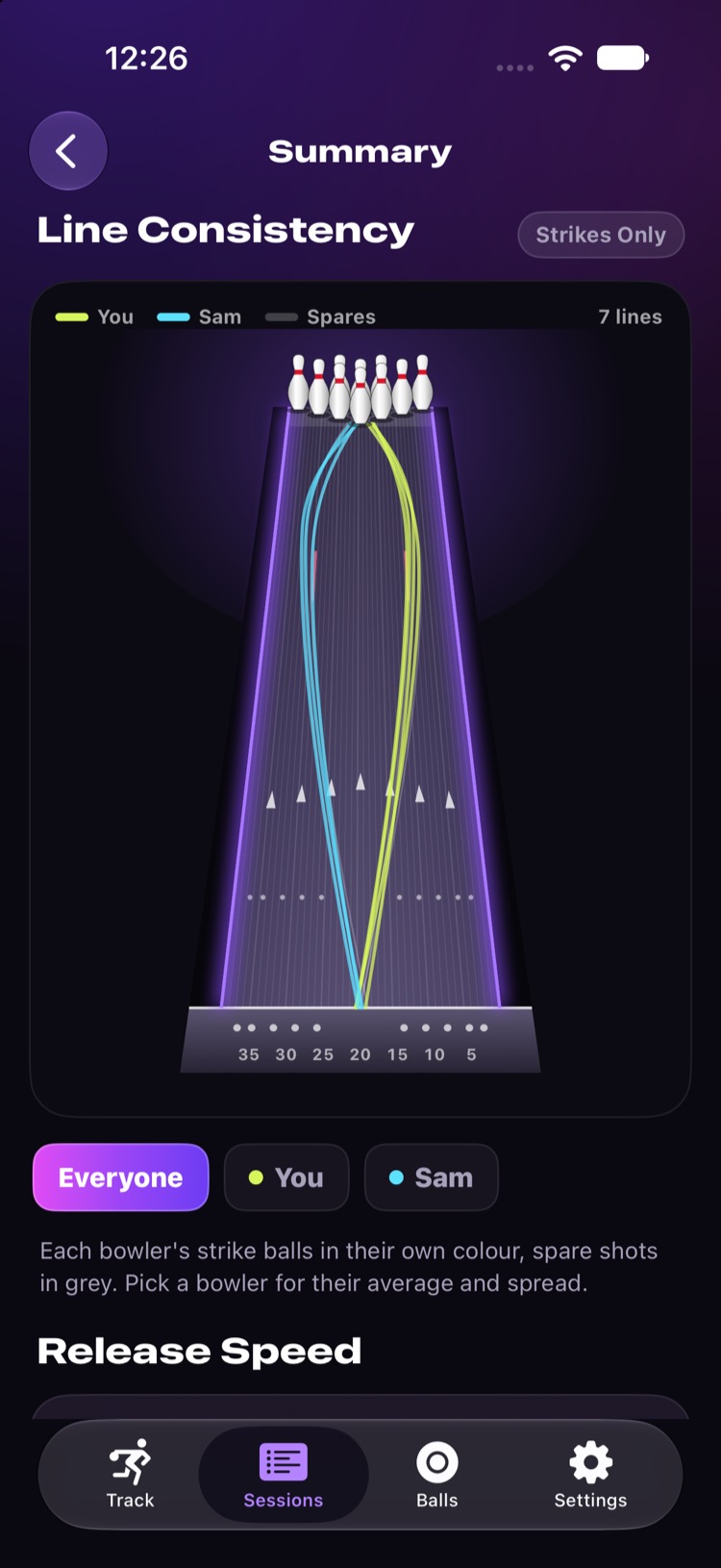
- Line consistency: every strike ball drawn together, one colour per bowler, so you can see how tight your line was.
- Carry and transition: how the lane changed as you bowled.
- Shot Types: your throws grouped by how they played, with the average line for each.
Progress
Week by week, ball by ball.
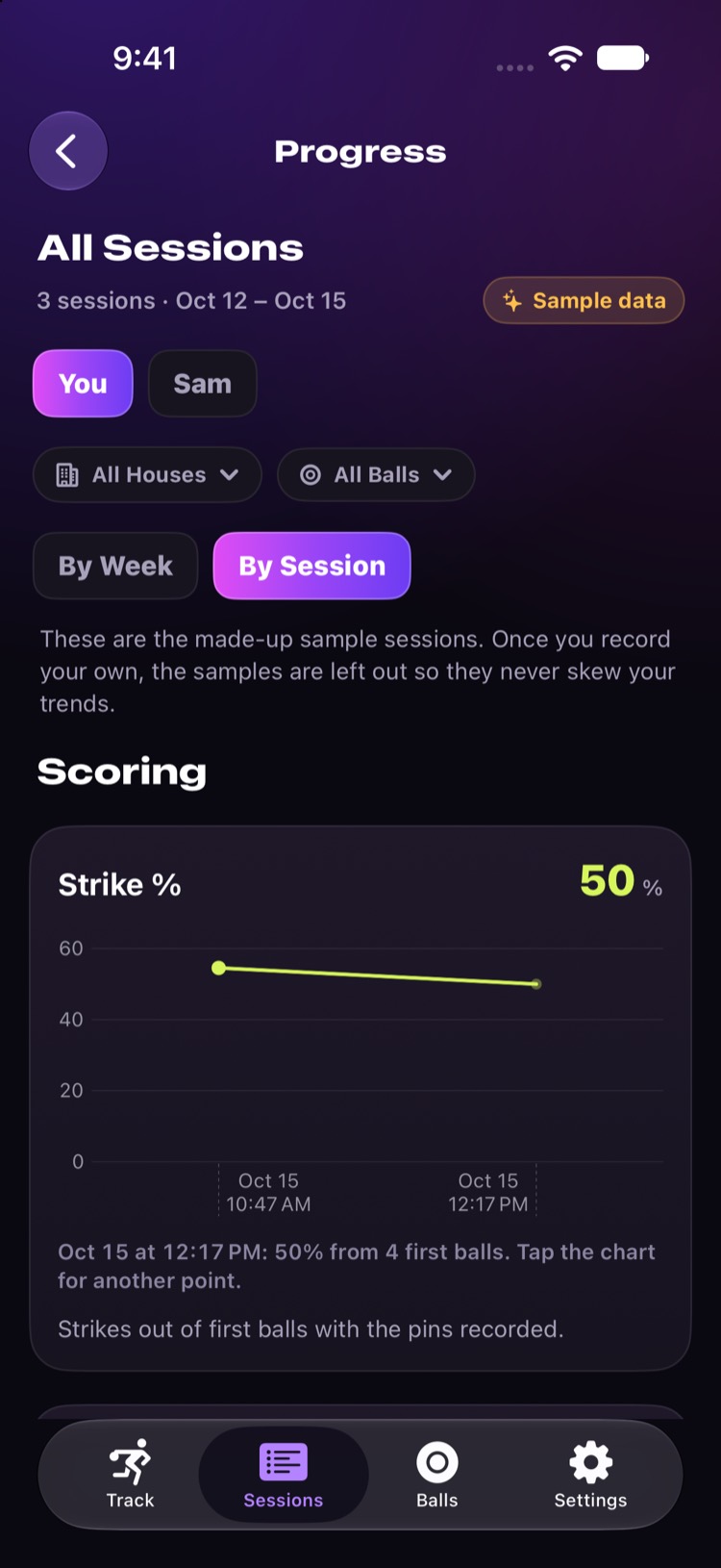
Strikes, carry, spares, speed and revs over time, by week or by session, and filtered by bowling centre or ball. Keep your bag in the app, with balls picked from the USBC approved list, to see what each one does for you.
How it works
Set it up once. Then just bowl.
-
Tripod behind the ball return
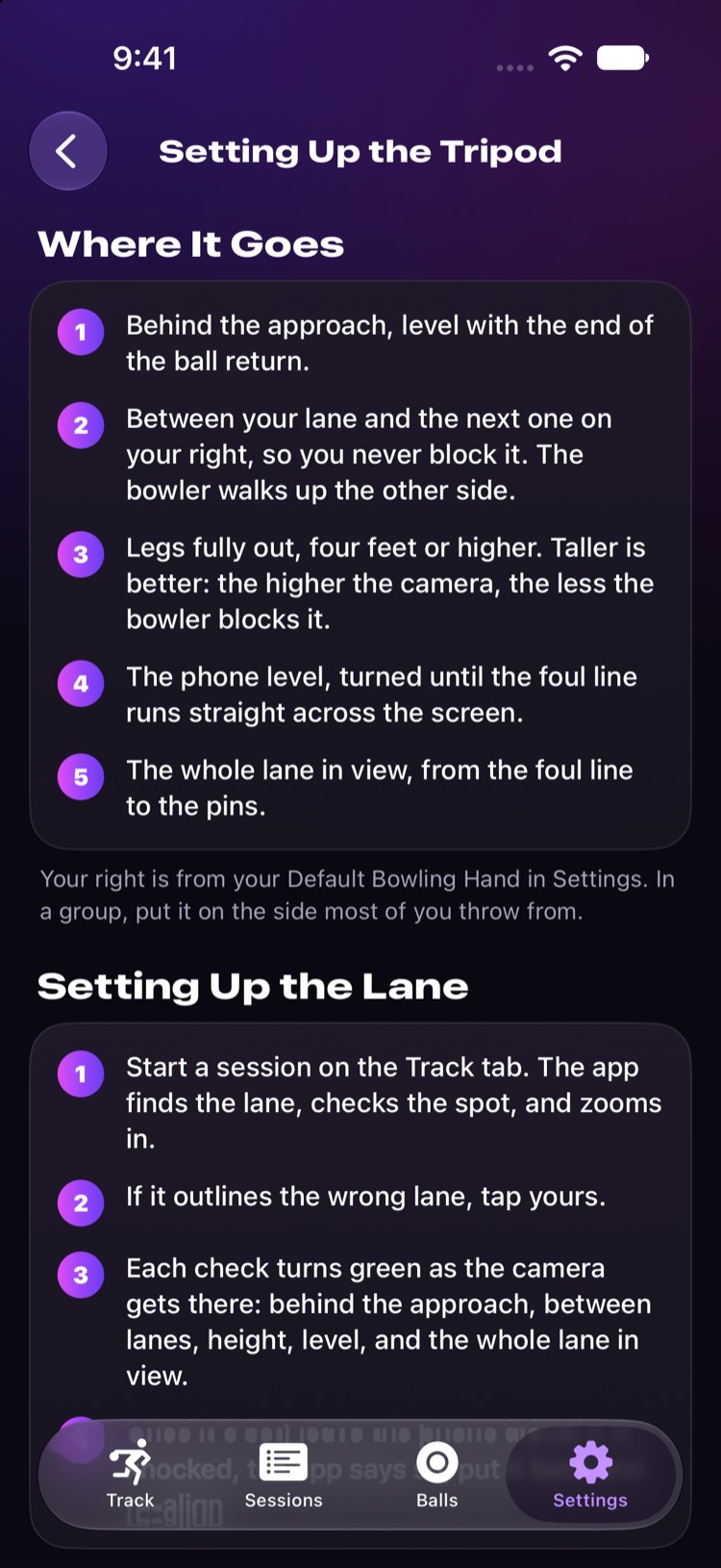
Behind the approach, level with the end of the ball return, between your lane and the next one, legs fully out. The higher the better.
-
Set up the lane
Start a session. LaneScope finds the lane, checks the spot, and zooms in. Each check turns green as you get it right. Tap your lane if it picked the wrong one.
-
Bowl
Every throw is saved and measured by itself. Glance at the phone after a shot, have it read the numbers out loud, or check it all after the game.
Any phone tripod that reaches about four feet (1.2 m) works. Tripod setup in detail.
Free and Pro
Free to track. Pro to dig in.
Recording and the core measurements are free. Pro adds the lane view, rev rate and the tools for working on your game.
Free
$0
- Automatic recording of every throw, with video replay
- Ball speed at release and at the pins
- Boards at lay down, the arrows, breakpoint and entry
- Launch and entry angles
- Pinfall and scoring
- Ball bag, from the USBC approved ball list
- Group bowling, export and backup
Pro
$7.99 / month
or $59.99 a year (about $5 a month)
- Top lane view of every throw's line
- Rev rate, read from the ball itself
- Target lines: set your feet and eyes, see how far off you were
- Strike chance for each throw, and why
- Coach tips: the move or ball change to make
- Session summaries: consistency, carry and transition
- Progress week by week, by ball and house
Pro is an auto-renewing subscription through the App Store, with a one-month free trial. Prices are in US dollars and may differ by country. Cancel any time in your Apple ID settings. Terms of Use.
Your next game, measured.
LaneScope is coming soon to the App Store for iPhone.